
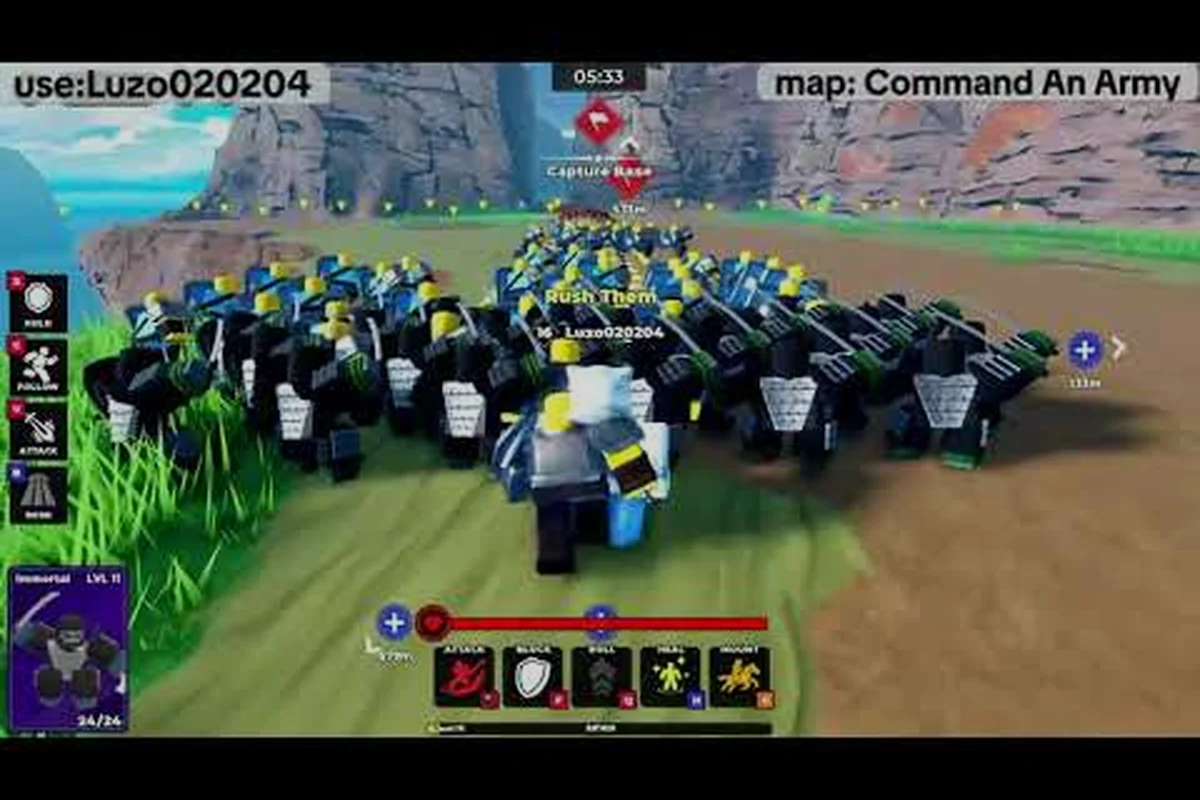
A clean command an army quick start guide matters more than most new commanders realize, because the first three minutes of any match shape whether you hold your line or get steamrolled by a veteran squad. Command An Army is a Roblox strategy battlegrounds experience where you lead AI troops through team-vs-team warfare, choose attack or defense sides, recruit units, and order formations to capture points. If you walk into your first match without a baseline, the formation call system alone will eat you alive. This command an army tutorial gets you match-ready in minutes flat, with the formation order, class, and point-capture habits every fresh commander needs.
Getting Into Your First Command An Army Match
Your first match begins the moment you join a server, and the lobby screen tells you almost everything you need to know. The game is built around two sides — Attack or Defend — and the team-vs-team format is consistent across every server, so you will always know what you are walking into. According to the official Command An Army page on Roblox, the loop is recruit troops, capture points, and break or hold the enemy line. That single sentence captures the entire objective layer.
Before you load in, take thirty seconds to scan the side panel. The four formation commands — Follow, Hold, Attack, and Rush — are listed there, and understanding their function before the timer starts saves you a lot of confused clicking mid-fight. Each command costs time on a short cooldown, so spamming them is not an option, which is why players who plan their first call usually win the first point.
The Lobby And Team Selection
The team selection screen gives you two choices: Attack or Defend. Both sides have the same toolset, but the win condition is mirrored. Attackers push forward to capture the central point, while defenders hold the line and stop them. As a brand-new commander, defending is the lower-pressure start because the enemy has to come to you, which means you can learn how your troops respond to formation calls without chasing across the map.
Once you confirm your side, you spawn at your base with a small starting squad. This is where the real command an army walkthrough begins, because the next ninety seconds decide whether you walk into the first fight with a coordinated unit or a scattered mob.
| Pre-Match Checkpoint | What To Do | Why It Matters |
|---|---|---|
| Confirm team side | Pick Defend first if undecided | Lets the enemy come to your line |
| Read the four formation commands | Memorize the icons | Prevents panic-clicking in combat |
| Locate the central capture point | Find it on the minimap | Sets your first move |
| Check your starting squad | Note unit classes and count | Shapes your first formation call |
Spawning And Your First Sixty Seconds
Your first minute on the ground should follow a predictable pattern. Spawn, gather your troops with a Follow command, move toward the capture point, and watch how your AI units handle the first contact. Do not issue an Attack or Rush call yet, because your squad is small and pushing blindly usually ends in a wipe.
Spend the first minute on movement and positioning. If you are on Attack, the goal is to reach the central point without losing troops. If you are on Defend, the goal is to set up a chokepoint near the point so the enemy runs into your formation. Either way, the first sixty seconds are about reading the map, not winning the fight. Players who skip this step usually burn their Rush cooldown before they even see an enemy.
Understanding The Four Formation Commands
The formation order system is the heart of every command an army tutorial, and it is also the single most common place new commanders fail. All Things How's breakdown of how Star Limits and Classes work confirms that the four core commands are Follow, Hold, Attack, and Rush, and each one shifts your squad's behavior in a meaningful way. None of them are interchangeable, and using the wrong one at the wrong time is how matches snowball against you.
The cooldown between commands is short, but it is not zero, which is why sequencing matters. A good commander usually chains two commands together — a Follow to reposition, then an Attack once contact is made — instead of burning all four cooldowns in panic. Understanding the rhythm of these four buttons is the single biggest leap from beginner to competent player.
What Each Command Actually Does
-
Follow — Your troops trail behind you and react to your movement. Use this when repositioning across the map or regrouping after a lost fight.
-
Hold — Your troops stay planted at their current spot and engage anything that comes close. Ideal for defending a captured point or holding a chokepoint.
-
Attack — Your troops move toward the nearest enemy unit and engage. This is your default combat command and the one you will use most often.
-
Rush — Your troops sprint forward and commit hard to a push. Use it only when you have a numbers advantage or a clear opening, because a failed Rush leaves your squad scattered.
Sequencing Commands Like A Veteran
The trick to command an army basics is learning the order. A common beginner mistake is leading with Rush because it feels aggressive, but Rush without setup usually ends with your squad out of position and easy to pick off. Veterans usually open with Follow to march to the point, switch to Hold when they reach a defensive position, then call Attack the moment an enemy appears. Rush is saved for the finishing move once a point is almost captured or the enemy line is breaking.
If you are defending, the sequence is even simpler. Hold at the chokepoint, let the enemy push in, then Attack once they are inside your formation's kill zone. That single rotation — Hold, Attack, Hold — covers most defensive situations without ever needing Rush, which is why new defenders tend to last longer than new attackers in their first few matches.
Classes, Star Limits, And What Your Troops Can Do
Every troop in your squad belongs to a class, and the class system decides how that unit fights. According to the All Things How guide, the four class types are Melee, Ranged, Cavalry, and Special, and each one has a clear role on the battlefield. You do not pick a class for yourself — your job as commander is to recruit troops and let the class system do the heavy lifting on positioning.
The Star Limit is the other half of the equation. Every unit has a star cap that decides how strong it can become, and recruiting past that cap just gives you more bodies rather than stronger ones. For new commanders, this is actually good news, because it means a balanced squad of mid-star units often beats a lopsided squad of one-star spam. Knowing the difference between class role and star cap is what separates a commander who wins the first fight from one who only watches it.
Class Breakdown At A Glance
| Class | Role | Best Position | When To Recruit |
|---|---|---|---|
| Melee | Frontline damage dealer | Leading the charge | When holding a chokepoint |
| Ranged | Backline damage dealer | Behind melee units | When defending a point |
| Cavalry | Mobile flanker | Side routes and flanks | When pushing a broken line |
| Special | Utility or anti-unit role | Match-dependent | When countering enemy comp |
How Star Limits Actually Work
Star Limits cap how strong a single unit can become through leveling, which means upgrading one Melee unit past its cap is wasted resources. Community testing suggests that spreading recruits across multiple unit types — rather than stacking one — is more reliable in the early game, because a mixed squad covers more matchup situations. A good rule of thumb for your first few matches is to keep your squad balanced: two Melee, two Ranged, one Cavalry, and one Special if you have the slots.
If you want a deeper breakdown of how the unit side of the system works, the Command An Army troop guide goes through each class in much more detail. For now, just remember that balanced squads win more early matches than star-stacked ones.
Point Capture, Map Awareness, And Match Flow
Every Command An Army match is decided at the capture points, which is why the point-capture layer is the third pillar of this command an army quick start guide. The map is built around a central objective, and winning the fight at that objective wins the match. Everything else — recruiting, formations, classes — exists to give you an edge when both teams clash on the point.
Map awareness matters more than raw unit count, because the team that arrives at the point first usually wins the first trade. If you are running from spawn while the enemy is already set up, you are feeding them free kills. Conversely, if you set up first and hold the line, the enemy has to push into your formation, which is the easiest fight in the game.
Reading The Map Before The Fight
-
Locate the central capture point as soon as you spawn — it is always on the minimap and usually in the center of the playable area.
-
Note the spawn distance to the point, because longer routes mean you need to start moving earlier.
-
Watch for flanks — Cavalry units on either side can collapse on a point fight if you ignore the edges.
-
Track cooldowns — if you just used Rush, your squad is committed and cannot reposition quickly.
Point Capture Habits That Win Matches
The habit loop is simple: arrive first, hold the point, fight on your terms. Defenders should set up just behind the point so enemies walk into them. Attackers should approach from two angles so the defender cannot focus fire one squad. Once the point is captured, do not chase kills — regroup, heal if you can, and prepare for the counter-push. Chasing is how you lose a won point, because the enemy respawns faster than you can chase them down.
If you are still learning the flow, the Command An Army early game guide covers how to handle the opening minutes of a match in more detail. Pair that with this command an army walkthrough and the first ten matches feel much more manageable.
Codes, Gems, And Your First Resource Edge
Codes are the fastest way to get a small starting edge in Command An Army, because they drop Gems directly into your account. According to Game Rant's working codes list, several codes are active at any given time and they reward anywhere from 150 to 500 Gems per code. The current active set includes WAR (500 Gems), RELEASE (500 Gems), BUGFIX (250 Gems), LEBALANCE (150 Gems), and CONQUEST (250 Gems), though codes expire without warning and the developer posts new ones on the official Discord.
Redeeming a code takes about ten seconds and is worth doing before your second match, because Gems unlock faster troop recruitment and small cosmetic upgrades. The codes change frequently, so checking the list after every patch is a good habit to build early. Community data suggests most codes last one to two weeks before expiring, so do not sit on a stockpile of unredeemed codes.
Quick Reference For New Commanders
| Code | Reward | Status Note |
|---|---|---|
| WAR | 500 Gems | Check expiry before redeeming |
| RELEASE | 500 Gems | May be removed in next patch |
| BUGFIX | 250 Gems | Anniversary-style code |
| LEBALANCE | 150 Gems | Lower-value drop |
| CONQUEST | 250 Gems | Seasonal code |
Redeem through the in-game code menu, and check the Discord or community wiki first if a code does not work, because the most common reason for failure is the code already being patched out.
Building From Beginner To Competent
Surviving the first ten matches is the real goal of this command an army quick start guide, because everything after that is just refinement. Once you have the formation order sequence, the class basics, and the point-capture loop down, you can start thinking about advanced play — counter-picks, timing windows, and matchup reads. The Command An Army noob to pro guide picks up exactly where this one ends and walks through the transition from reacting to anticipating.
For now, the habit stack is small but powerful: arrive at the point first, hold with a Hold command, Attack on contact, and save Rush for the finishing move. Mix your class composition, redeem active codes before they expire, and resist the urge to chase kills off the point. Those five habits cover about eighty percent of what makes a beginner win their first few matches, and the rest is just reps.
The game rewards consistency and patience at the lower ranks, because most new commanders are still learning the same four commands you just learned. Once you have the basics locked in, every match becomes a chance to refine rather than survive, and that is when the game really opens up.
Frequently Asked Questions
What is the fastest way to learn Command An Army as a beginner?
Spend your first five matches on Defend side only, because the enemy has to come to you, which means you can learn the four formation commands — Follow, Hold, Attack, and Rush — without chasing across the map. Redeem active codes for a small Gems boost, and focus on arriving at the capture point first every single time.
Which formation command should I use first in a fight?
Use Hold to set your position, then switch to Attack the moment an enemy enters range. Save Rush for when the enemy line is breaking, because a premature Rush leaves your squad scattered and easy to pick off. That Hold → Attack → Hold rotation covers most early-match situations.
How do Star Limits affect my squad strength?
Star Limits cap how strong a single unit can become through leveling, which means spreading recruits across multiple unit types is usually stronger than stacking one unit. A balanced squad of mid-star Melee, Ranged, Cavalry, and Special units wins more early matches than a lopsided squad of one-class spam.
Where do I redeem codes in Command An Army?
Codes are redeemed through the in-game code menu, and active codes usually drop between 150 and 500 Gems each. According to community data, codes expire without warning, so redeem them as soon as you see them on the official Discord or working codes list.
What is the difference between Melee, Ranged, Cavalry, and Special classes?
Melee units lead the charge and hold chokepoints, Ranged units deal damage from behind the frontline, Cavalry units flank from the sides, and Special units fill a utility or anti-unit role. A balanced squad with at least one of each class covers most matchups without needing a hard counter pick.